If your microphone keeps muting, click on the windows icon in the lower left corner, type "control panel"
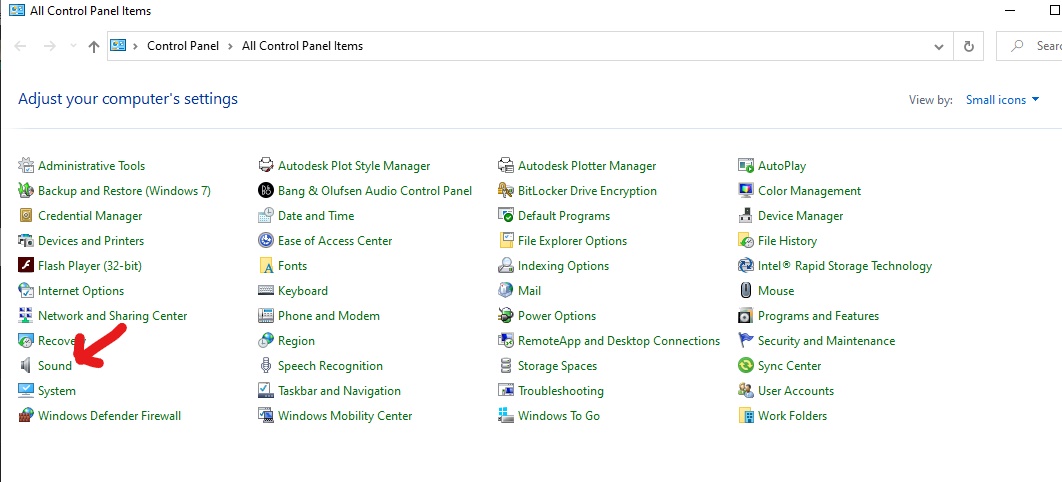
Find the sound icon and click on it, the sound app will appear
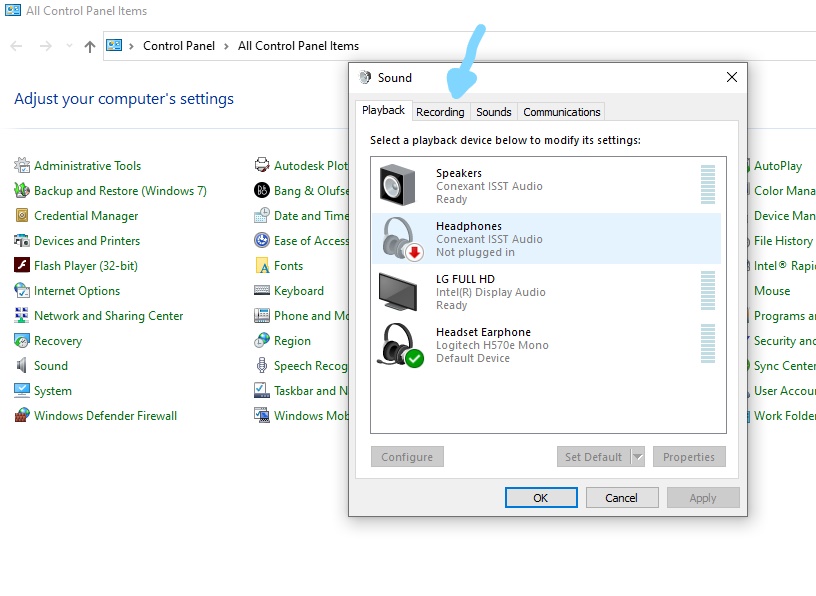
Click the recording tab on the sound app and right click on the recording icon, open the properties option
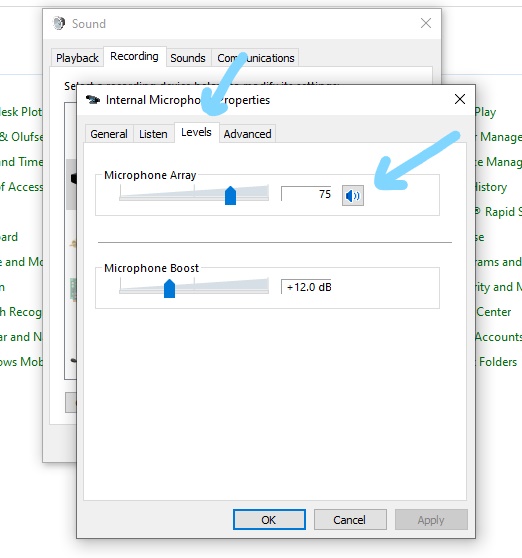
Click the Levels tab, look at the little microphone and click it once to unmute it, it will have a red circle if it's muted and normal mic look when unmuted. Hit the apply and ok button, then exit.
Was this article helpful?
That’s Great!
Thank you for your feedback
Sorry! We couldn't be helpful
Thank you for your feedback
Feedback sent
We appreciate your effort and will try to fix the article