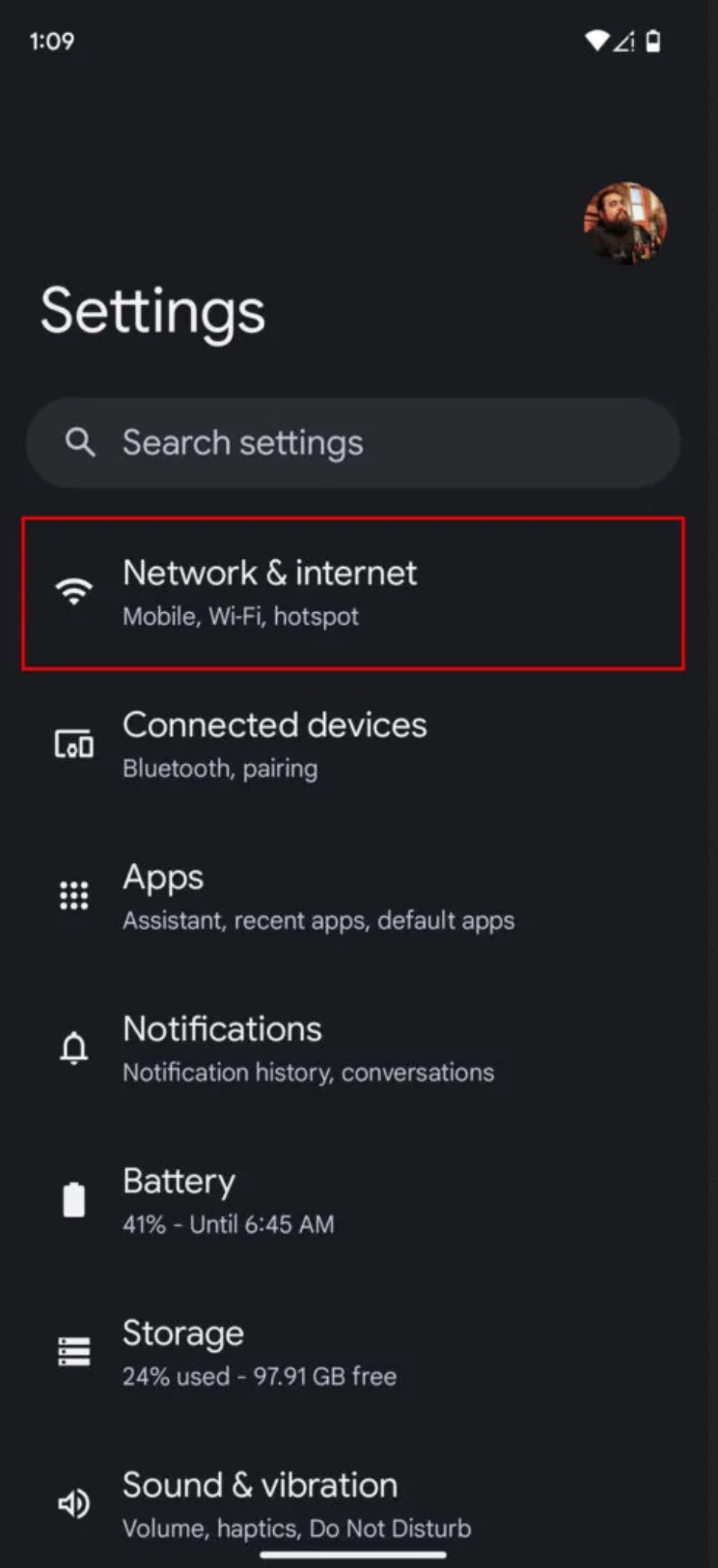
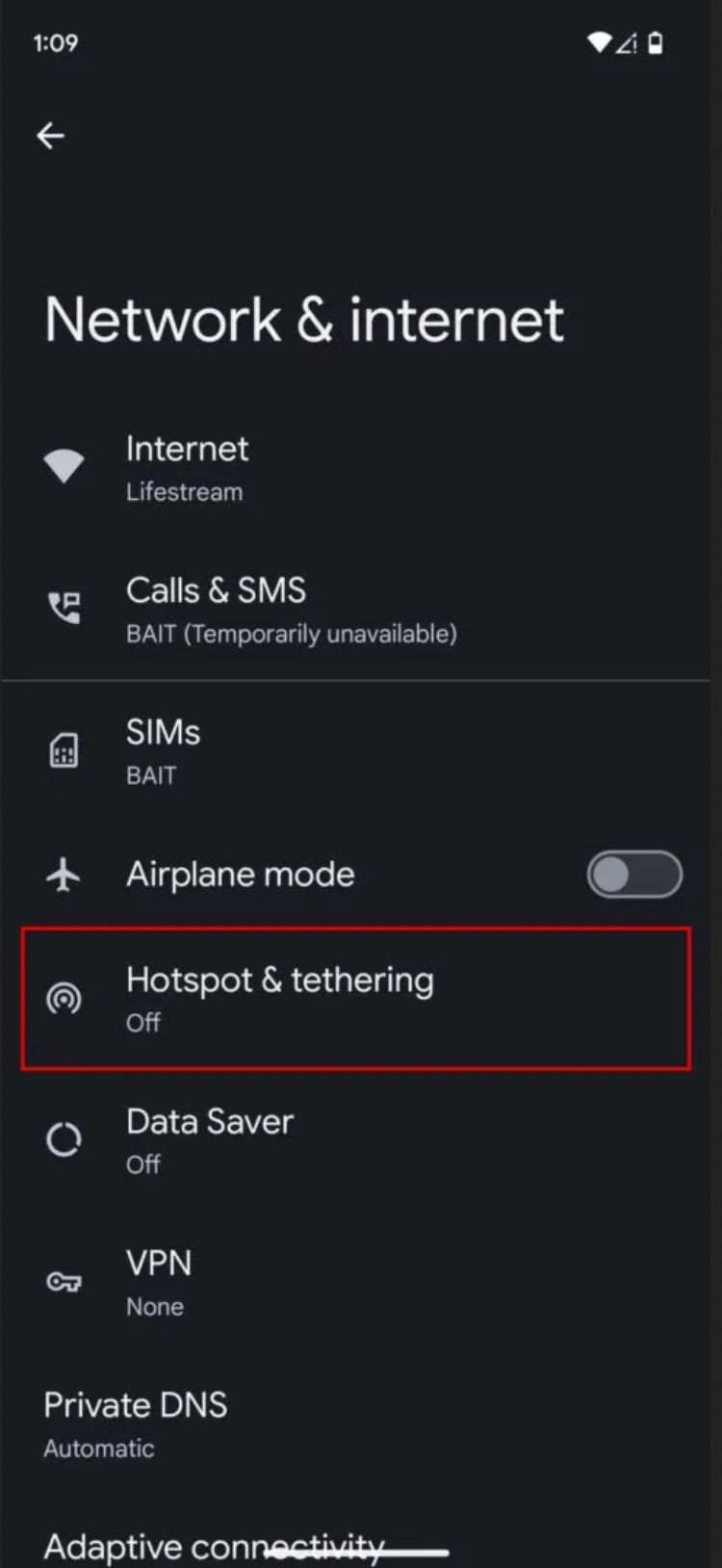
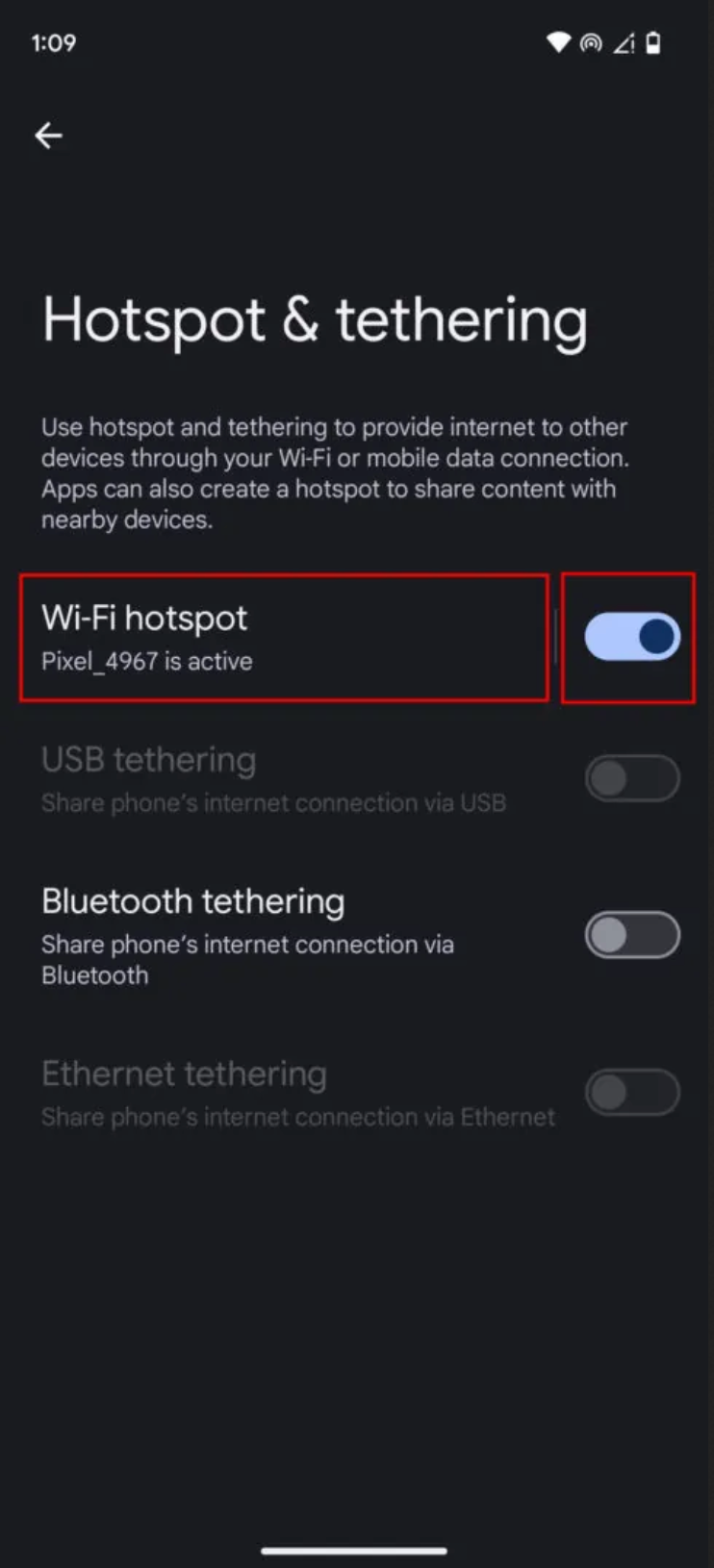
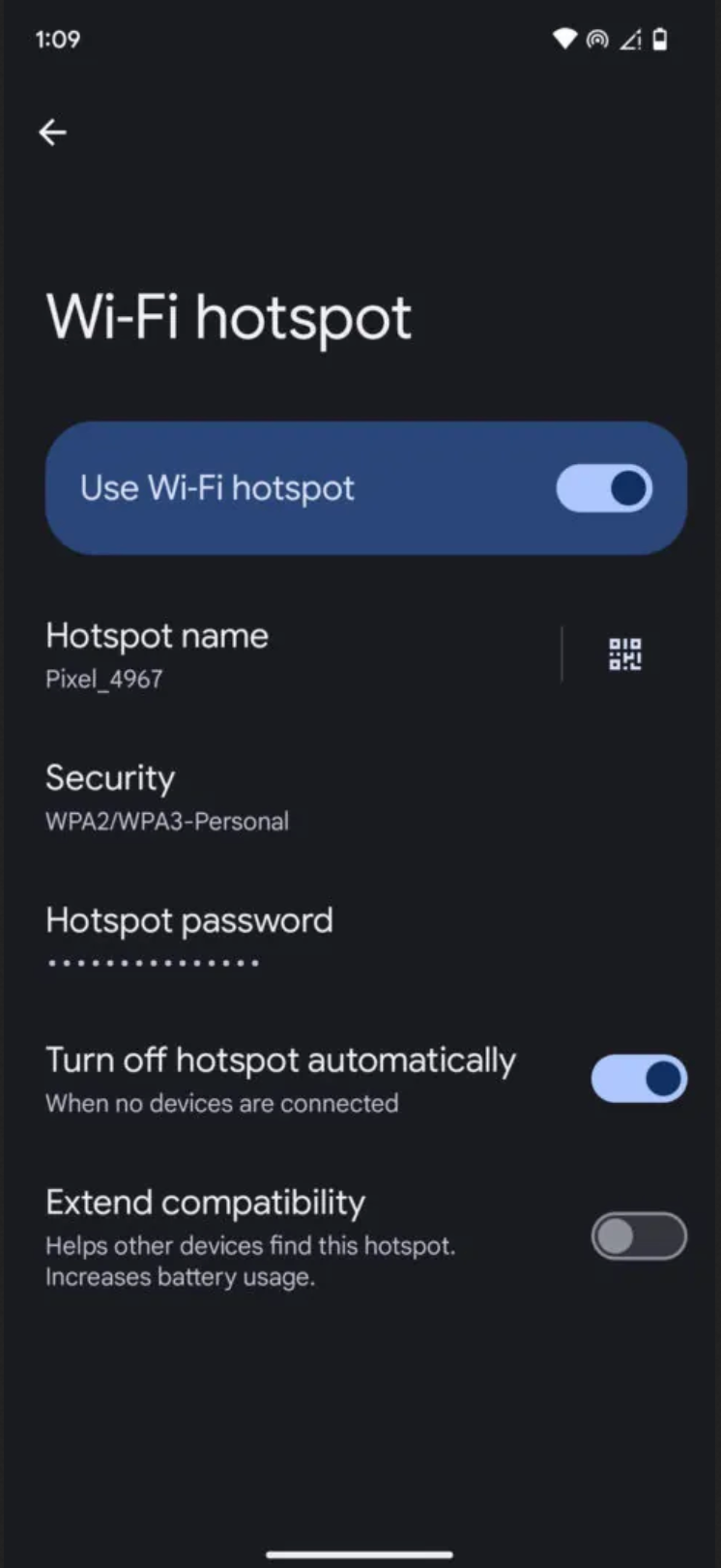
As shown below, click on Settings, then Network & Internet, then Hotspot & Tethering, then WiFi Hotspot. Here you will see the name and password (which you can click on password to change this but be sure to use something secure and not easily guessed).
Once enabled you can find and connect to it like any WiFi from your computer.
Was this article helpful?
That’s Great!
Thank you for your feedback
Sorry! We couldn't be helpful
Thank you for your feedback
Feedback sent
We appreciate your effort and will try to fix the article