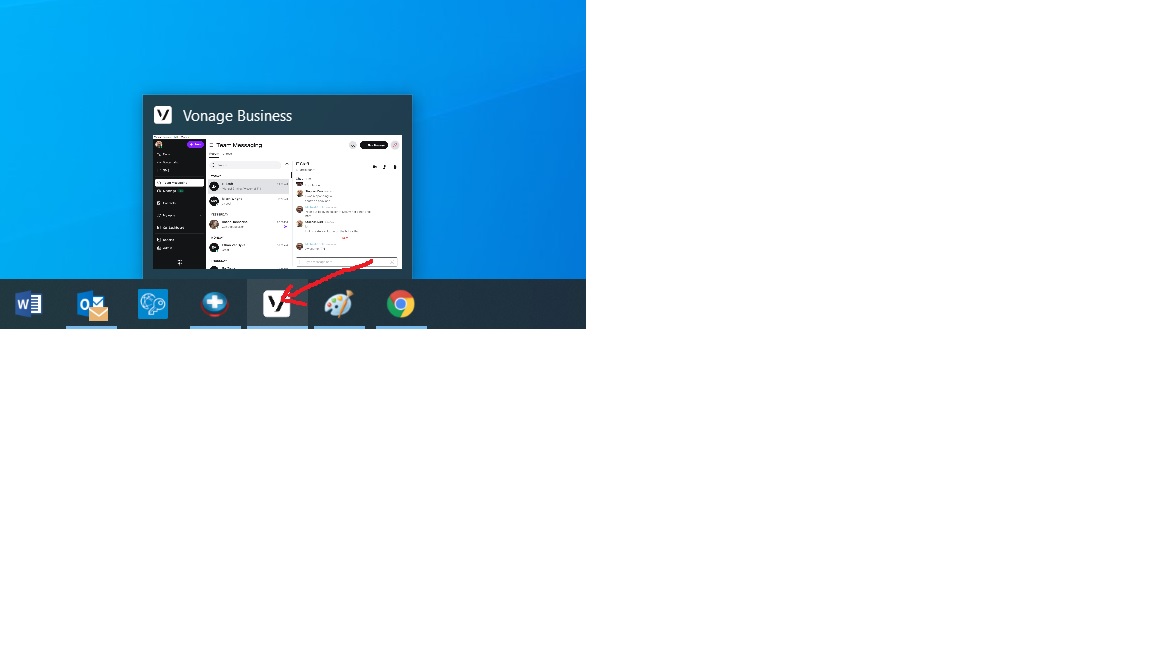
1. Hover your mouse on the affected program icon in the lower program tray. DON'T CLICK
2. When the window pops up, slowly move your cursor up into the program popup window.
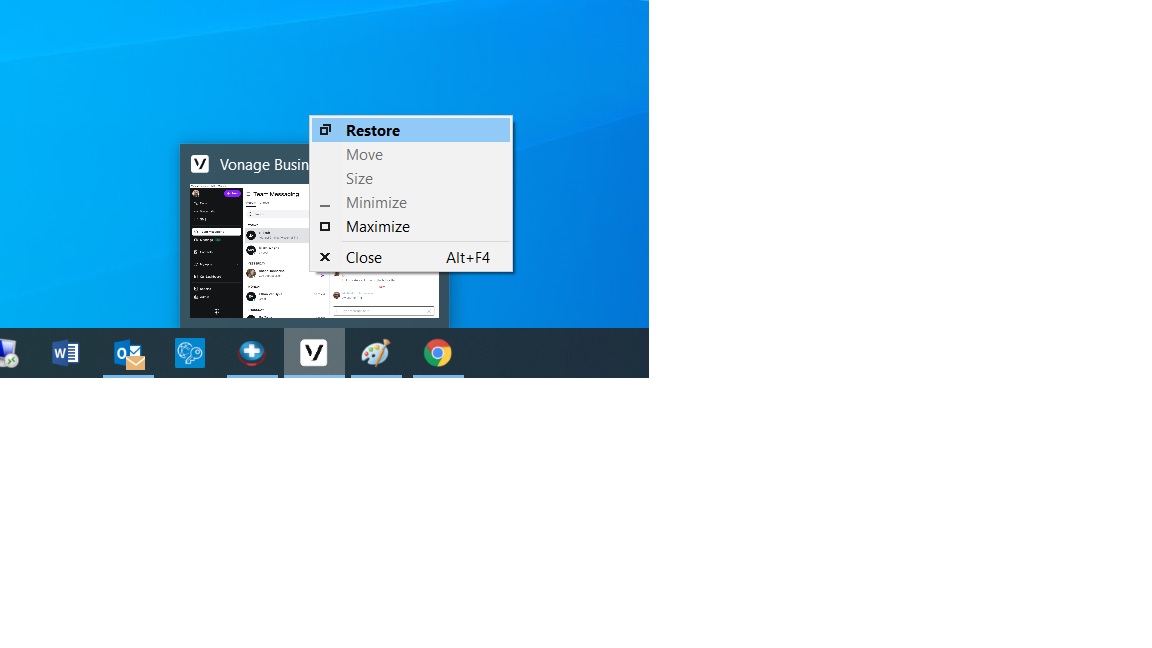
3. Right click while your mouse pointer is in the pop up window and choose the restore option (Or Maximize if restore is grayed out).
Was this article helpful?
That’s Great!
Thank you for your feedback
Sorry! We couldn't be helpful
Thank you for your feedback
Feedback sent
We appreciate your effort and will try to fix the article